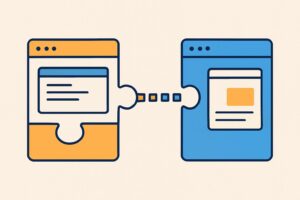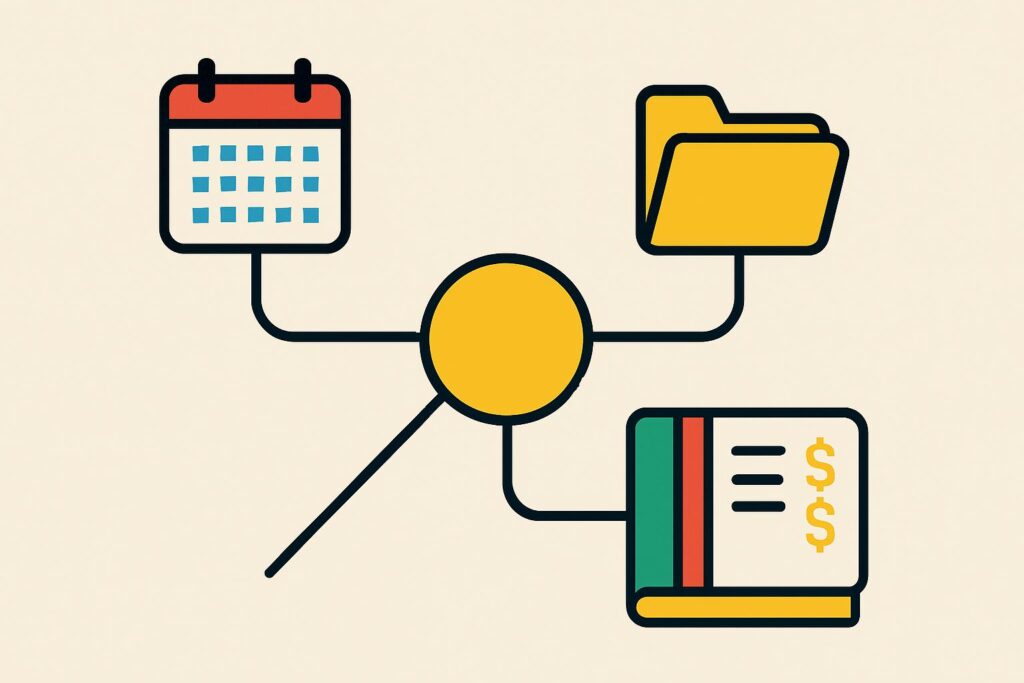
What is MCP? MCP, short for Model Context Protocol, is an open standard that lets an AI application such as Claude or ChatGPT connect to other systems: your mailbox, a client files folder, an accounting package or a CRM. Instead of separate integrations for every combination, every AI application that supports MCP works with the same server for each system.
Within AI agents and automation, MCP is the connection layer: the part that determines how a model reaches data and actions in another program. An MCP server offers tools, resources and prompts for this, and the AI application calls them.
For a firm, MCP means that Claude can read a document from the client files folder or put a draft appointment in the calendar, without the firm having to build a custom integration for it.
Every connection also gives a model access, and that is where the risks lie: hidden instructions in retrieved text, permissions that are too broad and servers from unknown makers.
What does MCP stand for?
MCP stands for Model Context Protocol: an open standard that lets AI applications connect to external systems, data and tools, so a model can retrieve information and carry out actions in programs outside the chat.
Anthropic, the maker of Claude, introduced MCP in November 2024. According to Anthropic’s announcement, since December 2025 the protocol has been housed at the Agentic AI Foundation, a foundation under the Linux Foundation, so that no single AI provider controls the standard alone. The current version of the specification is dated 2026-07-28.
What problem does MCP solve?
MCP solves the problem that, without a standard, you build a separate integration for every combination of AI application and system. Three AI applications working with four systems would need twelve integrations.
With MCP, each system gets one server and each AI application supports the protocol once: four servers and three applications, seven components in total instead of twelve integrations. Adding a new system costs one server, and switching AI provider leaves the existing servers intact.
A new system costs one server, and switching AI provider leaves the servers intact.
How does MCP work?
MCP works with requests between an AI application and a server: the application asks what capabilities the server has, the model chooses one, the server carries it out and sends the result back. Since the July 2026 specification, the protocol has been stateless, which means each request contains all the information the server needs.
What roles does MCP have?
MCP has three roles: the host, the client and the server. The host is the AI application you work in, such as Claude Desktop or Claude Code. The host creates a client for each server, which maintains the connection with that one server. The server is the program that provides access to a system.
So one host with three servers (for mail, the client files folder and the accounting package) has three clients, each talking to its own server.
- Client files
- Accounting package
What does an MCP server offer?
An MCP server offers three kinds of building blocks:
- Tools: actions the model can have carried out, such as a search in a database, saving a file or retrieving an invoice line.
- Resources: information the application provides as context, such as the contents of a document or the structure of a database.
- Prompts: reusable instructions a user chooses to carry out a fixed task with the server.
A tool that changes something needs a different check from a resource that only reads. That distinction is exactly what determines where a person gives approval before an action goes ahead.
What is the difference between MCP and an API?
MCP differs from an API in that an API controls access to one system with its own conventions, whereas MCP defines how an AI application finds and uses such access. Behind the scenes, an MCP server often calls the system’s API.
With your own integration via the Claude API, you describe yourself, through tool use, which tools the model may use. MCP standardises that description, so the same server works in Claude, ChatGPT and other applications without you having to define the tools again for each application.
Where does an MCP server run?
An MCP server runs locally on your own computer or remotely as a web service. A local server is started by the AI application itself and serves one user; a remote server runs at the supplier or on your own server and serves several users over the internet.
With a remote server, you usually sign in via OAuth, the same method you use to give an app access to your Google or Microsoft account. The location determines who has access: a local server works with your files and permissions, a remote server with the permissions you grant when signing in.
Which programs support MCP?
According to the official MCP documentation, MCP is supported by AI assistants such as Claude and ChatGPT and by development tools such as Visual Studio Code and Cursor. In Claude, MCP connections are called connectors.
Claude Desktop and Claude Code both work as a host: you add servers to them, after which the model calls those servers’ tools in a conversation or during a programming task.
What can a firm connect via MCP?
Via MCP, a firm connects the systems that hold its day-to-day work to an AI application. Common examples:
- Mail and calendar, so a model can summarise messages or prepare a draft appointment.
- A shared client files folder, so a model can look up and read documents without anyone copying and pasting them.
- An accounting package, so a model can retrieve outstanding items or invoice details.
- A CRM, so customer details and the most recent contacts are available in the conversation.
- Search Console and GA4 for marketing agencies, so reporting questions run directly on the data.
An AI agent uses MCP to act in those systems: the agent determines the steps, and MCP gives it the access to carry them out.
What are the risks of MCP?
MCP brings four risks that grow with every new connection:
- Hidden instructions: text in a retrieved document or in a tool’s description sometimes gives the model a different instruction from the one the user intended. Treat everything a server returns as input, not as an instruction.
- Permissions that are too broad: a server that may read and change everything gives the model the same reach. Give a connection only the permissions the task requires and, where possible, read-only access.
- Unknown makers: a server from an unknown party runs code with your access. Use servers from the supplier of the system itself or have them assessed first.
- Changes without approval: a tool that sends mail, makes payments or deletes things should ask a person for confirmation before the action goes ahead.
An employee who installs an MCP server themselves and connects it to company systems, bypassing IT and policy, is a case of shadow AI: nobody knows which data the model can then reach.
For my own automations, I start with three questions: what data goes in, where it ends up and who has access to it. From my years at major banks, I bring the four-eyes principle: no action that changes something without a second check.
Does MCP send your data to the AI provider?
No, MCP itself doesn’t send data to the AI provider, because the protocol only governs how an AI application talks to a server. What a tool or resource returns does end up in the model’s context, though, and that context goes to the provider of that model.
A server that returns a complete client file instead of the one piece of information needed therefore sends more to the provider than the task requires. Under the GDPR, personal data requires a legal basis and a data processing agreement, just as with other AI use.
Do you need your own MCP server?
No, you usually don’t need your own MCP server, because software suppliers offer their own servers that you only need to connect. According to the MCP documentation, Sentry, for example, runs its official server on its own platform. Building one yourself only comes into play for a system that has no existing server but does have an API.
A direct integration is often enough for one AI application and one system. The benefit of MCP grows with the number of applications and systems you connect to each other.
Frequently asked questions about MCP
Working with MCP in Claude raises practical questions about plans and about related protocols.
Can you use MCP in the free version of Claude?
Yes, you can use MCP in the free version of Claude, with one limitation: according to Anthropic, Free users may add one custom connector. The help page only mentions that limit for the free plan. In Team and Enterprise, an owner or an admin with the right role adds a connector for the organisation, after which members switch it on themselves.
How do you add an MCP server in Claude?
You add a remote MCP server in Claude via Customize, Connectors, then choose Add custom connector and enter the server’s name and URL. For each conversation, you switch connectors on or off with the plus button at the bottom left of the chat window. You set up local servers in Claude Desktop via the claude_desktop_config.json file; these don’t work in claude.ai or Cowork.
What is the difference between MCP and A2A?
The difference between MCP and A2A lies in what gets connected: MCP connects an AI agent to tools and data, while A2A lets agents work with each other. A2A was originally developed by Google and donated to the Linux Foundation. According to the A2A documentation, the two protocols complement each other and are designed to work together.
How do you learn to build AI automations yourself?
You learn to build AI automations yourself by starting small: first one MCP connection that only reads, then tools the model calls itself, and only after that a step that changes something, with a check before it.
Tool use is the mechanism MCP tools run on. The AI Automation Course covers tool use in a dedicated module and ends with a connection to your own workflow. That way, you know what an MCP server does with your systems before you connect one.