n8n is a workflow automation tool that lets you connect apps and AI models in a visual editor. Every workflow starts with a trigger and then runs through nodes, the building blocks that each perform one task.
You can use n8n to automate recurring office work, such as processing email, syncing data and compiling reports. A language model or one of the AI agents in n8n acts as one step in the workflow.
Most work in n8n requires no programming knowledge. The tool is released under a fair-code licence and runs either in n8n’s cloud or on your own server.
You host the free Community Edition yourself, whereas the cloud version comes with a monthly subscription. n8n differs from Zapier and Make mainly in its pricing model and hosting. If a workflow handles customer data, the hosting option and your agreements with the processor are what count.
What is n8n?
n8n is a workflow automation tool you use in the browser. You place nodes on a canvas and connect them, and this determines which steps run and in what order. n8n GmbH, the company behind the tool, is based in Berlin and was founded by Jan Oberhauser.
The editor is low-code, which means you build most workflows by clicking. If a standard step falls short, you add JavaScript or Python.
According to the n8n README, the name stands for nodemation, a blend of node and automation. Oberhauser shortened nodemation to n8n, pronounced n-eight-n, because the full name was too long to type every time.
How does n8n work?
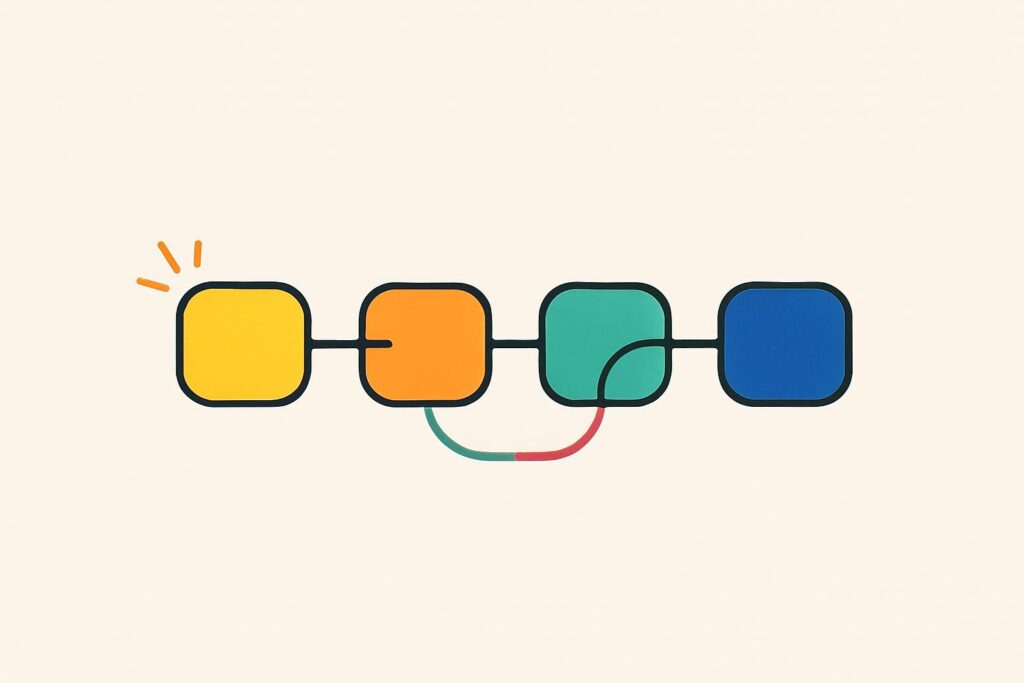
An n8n workflow is a chain of nodes that starts with a trigger and then runs the next steps in order. An IF node or a Switch node splits the workflow into routes, for example a separate route for invoices above a set amount.
Once you activate a workflow, it starts whenever the trigger fires. In n8n, each complete run is called an execution.
What is a trigger in n8n?
A trigger in n8n is the node that starts a workflow. n8n has four common types of trigger:
- A Schedule Trigger starts the workflow at a fixed time or interval, such as every Monday at 8 am.
- An app trigger responds to an event in a connected app, such as a new email or a new form submission.
- A Webhook node creates its own URL to which another app sends data, after which the webhook starts the workflow immediately.
- A manual trigger starts the workflow with a single click, for testing a workflow or running it on demand.
What are nodes in n8n?
Nodes in n8n are the individual steps of a workflow, and each node performs one task. The n8n documentation distinguishes three kinds: triggers, action nodes that do something in an app, and core nodes for logic, scheduling and general API calls.
Each node passes its output on as a list of items in JSON, a text format for structured data. Expressions let you use fields from an earlier node, such as the sender’s name from an email.
Alongside the built-in nodes, there are community nodes, which other users have built and which you install yourself.
How does n8n connect to an API?
n8n connects to an app through a dedicated node for that app, or through the HTTP Request node when no such node exists. With the HTTP Request node you can call any service that offers an API connection, even without a ready-made integration.
An API is the defined entry point through which software exchanges data. n8n stores the login details for each connection as credentials. Access to your customer relationship system (CRM), for example, then sits in one place, separate from the workflows that use it.
What can you automate with n8n?
n8n automates tasks that follow the same steps every time. Six kinds of office work fit that pattern:
- Processing incoming email by saving attachments to the right client file and logging the sender.
- Syncing customer data between your CRM and your accounting system, so a change only needs to be made in one place.
- Compiling weekly reports from several sources in Google Sheets and sending them to the team.
- Sending notifications in Slack or by email when a deadline approaches or a form comes in.
- Tracking the payment status of invoices and preparing a reminder for any unpaid invoice.
- Passing form submissions on to a client file, a task list or a calendar.
The n8n template library contains example workflows you can copy as a starting point. n8n carries out exactly what you define. A task that does not fit into fixed steps calls for a language model or an agent in the workflow.
What can n8n do with AI agents?
n8n uses a language model as a step in a workflow and lets an agent choose a tool at each step. According to the n8n README, the tool works with models from OpenAI, Anthropic and Google, and with open-source models.
The n8n documentation distinguishes between a chain and an agent. A chain follows a fixed sequence of calls to the model and uses no memory. With an agent, the model’s output determines which tool comes next.
How does the AI Agent node work?
The AI Agent node in n8n connects a chat model, the language model that generates the responses, to one or more tools. According to the documentation, at least one tool is required. A tool is an action the agent is allowed to perform, such as a search or a step in another app.
You can also connect memory, so that earlier messages in a conversation are taken into account. For tool actions, n8n supports human in the loop, where a person approves or rejects the action before the agent carries it out.
Can n8n work with MCP?
Yes, n8n works with MCP through two separate nodes. MCP, short for the Model Context Protocol, is the standard that lets AI applications use tools from other systems.
With the MCP Client node, a workflow uses the tools of an external MCP server. With the MCP Server Trigger, n8n makes its own tools available to external AI agents. An AI app can then call an n8n workflow as a tool, for example.
Do you need to know how to code to use n8n?
No, you do not need to know how to code to use n8n, because you build most workflows in the visual editor or from a template. Programming knowledge helps with expressions and in the Code node, where you write JavaScript or Python for a step that no standard node covers.
Self-hosting calls for a different kind of knowledge: server administration and security. You need that knowledge as soon as n8n runs on your own server instead of in n8n’s cloud.
Is n8n open source?
No, n8n is not open source in the strict sense, because its licence restricts commercial use. n8n describes itself as fair-code. The source code is public and anyone may view and modify it, but its makers reserve certain commercial rights.
According to the licence page in the documentation, n8n falls under the Sustainable Use License, with the n8n Enterprise License covering the enterprise features. You may use n8n for your own internal business processes and for non-commercial or personal use. A consultant may also use it to build workflows for clients.
You need a separate commercial agreement with n8n if you offer n8n as a platform where customers connect their own accounts and build their own workflows. Until 17 March 2022, n8n was licensed under Apache 2.0 with the Commons Clause.
n8n cloud or self-hosted: which should you choose?
You can run n8n in n8n’s cloud or as the Community Edition on your own server. According to the documentation, both options are suitable for production use.
In the cloud, n8n manages the installation. According to the n8n pricing page, your data is stored in the EU, on servers in Frankfurt. Execution logs, the record of each run, are kept for 7 days on the Starter plan and 30 days on Pro.
With the Community Edition you decide where your data is stored, but security, updates and backups are your responsibility. According to the documentation, the free version lacks ten features of the paid editions. These include single sign-on (logging in with one central account), workflow sharing and version control with Git.
How much does n8n cost?
n8n costs nothing if you host the Community Edition yourself. For the cloud version you pay a monthly subscription that rises with the number of executions per month. According to the n8n pricing page in October 2026, the plans are Starter, Pro, Business and Enterprise, and for the time being Business runs only on your own server.
An execution is one complete run of a workflow, however many steps it contains. If you self-host, you also pay for the server.
n8n vs Zapier and Make: what is the difference?
n8n differs from Zapier and Make mainly in its pricing model and the option to self-host. According to the pricing pages of all three providers, n8n charges per execution, Zapier per task and Make in credits.
In Zapier, every successful action in a Zap (Zapier’s name for a workflow) counts as a task. In Make, most actions cost one credit. An n8n workflow with ten steps, by contrast, counts as one execution.
n8n also offers a free Community Edition that you host yourself. The pricing pages of Zapier and Make mention no self-hosted version.
Can you process customer data in n8n?
Yes, you can process customer data in n8n, but not without a lawful basis and agreements with the processor. Which agreements you need depends on the hosting option and on the services a workflow calls.
With the cloud version, n8n processes the data on its own servers. If you self-host, your own organisation or your hosting provider processes it. Every app and AI model the workflow calls also receives the data, and the execution logs keep the processed data until the retention period ends.
I apply the four-eyes principle from my years at major banks to AI work, and not every task carries the same risk profile. An n8n workflow that processes client files gets a review step in which a second person checks the result. A workflow that circulates meeting minutes does not need that step.
Which businesses is n8n suitable for?
n8n suits firms that want to automate recurring processes and decide for themselves where their data is stored. The cloud version needs no in-house management, while the Community Edition needs someone to maintain the server.
An accountancy firm, a notary’s office and a marketing agency all work with the same building blocks, such as collecting documents and passing data on. What differs from firm to firm is how sensitive the data is, and therefore the choice between the cloud and your own server.
How do you learn to build AI automation yourself?
To build AI automation yourself, practise with the standard building blocks of an AI workflow. These are a trigger, a series of steps, a language model as one of those steps and a review step for the result. In n8n those steps are called nodes, and other automation tools use different names for the same structure.
In the AI Automation Course, you practise these building blocks with AI as your building partner and create your own workflow as the final assignment. With that structure in mind, you will recognise every trigger and every node in n8n.