
AI Automation Course
In the AI Automation Course you use Claude to build an automation for recurring work from your own practice, such as sorting emails or summarising documents. Without code in Make, with Zapier as an alternative, or with Python if you want to go further.
- €149.99incl. VAT€123.96 excl. VAT
- 7 modulesno-code or Python
- 8 to 9.5 hoursincl. assignments
- Certificateon completion
Prefer Dutch? This course is also available entirely in Dutch, with a Dutch certificate. View the Dutch version
What do you build in the AI Automation Course?
In the AI Automation Course you build a working connection between Claude and the tools you already use, through the Claude API. You learn how that connection differs from working in the chat interface, and when to choose which. After the course you can:
- create an API key and manage it securely in the Claude Console
- write a system prompt that makes the model work consistently, and choose for each task a model that is light enough to stay affordable and heavy enough to get it right
- build an integration without code in Make, with Zapier as an alternative, that summarises, classifies or routes tasks automatically
- write a Python script with error handling, rate limits and prompt caching to keep costs down
- build in a review step in which a person looks at the output before it goes further into the organisation
- choose when to build a tool loop yourself and when a ready-made agent solution fits better
In module 7 these parts come together in one automation of four layers, which you apply in the final assignment to a real task from your own work.
Who is the AI Automation Course for?
The AI Automation Course is intended for professionals who want AI to prepare recurring work, instead of typing a prompt themselves every time. In particular:
- Operations specialists who want to automate recurring processes instead of handling them manually
- Marketing professionals who want to scale up content and analysis tasks beyond what you can keep up with in the interface
- HR advisers who routinely process documents and requests and want to speed up that step
- Consultants who advise clients on AI integrations and want to be able to build what they propose
If you already work with Claude in the chat interface, this course follows on directly: what you do there with individual prompts, you run automatically here.
How the AI Automation Course is structured
The AI Automation Course consists of seven modules that you follow at your own pace, plus a final assignment based on your own work. You work with the Claude API, the connection that other tools use to call Claude, and build up from your first call to a complete, documented automation.
| Module | Topic | What you learn |
|---|---|---|
| 1 | What is the Claude API? | The difference between the API and claude.ai, when to choose which, how the Claude API compares with the OpenAI API, which model families there are and how an API call is structured. |
| 2 | Your first API call | Exploring the Claude Console, creating and managing an API key securely, making your first call in the Playground, understanding parameters, estimating the cost of a call and sending PDFs and images. |
| 3 | System prompts and model choice | The difference between a system prompt and a user message, the anatomy of a good system prompt, a classification assistant as a practical example and combining model choice with the system prompt. |
| 4 | No-code integrations | Connecting Claude through Zapier or Make without programming, with three practical patterns: summarising automatically, classifying and routing, and generating content. You build the assignment in Make, because the free Zapier plan allows just one action after the trigger. |
| 5 | Automation with Python | Setting up your development environment, writing your first Python call, sending context with multi-step calls, dealing with error handling and rate limits, applying prompt caching to keep costs down, and processing larger volumes with batch processing and the Files API. |
| 6 | Tool use | Defining a tool and working through the full loop in which the model determines which function it needs and your code runs it. Enforcing structured output in a fixed JSON format that a downstream system can process, and using the server tools that Anthropic runs itself: web search and code execution. You also link statements to sources with citations and call Skills through the API. Finally, you weigh up when to build an agent yourself and when to choose a ready-made solution. |
| 7 | Your own workflow | Combining the four layers of a workflow into one documented automation with a review step, which you measure on your own test set, improve and record, including responsible API use in an organisational context. |
Modules 4 and 5 lead to the same result by two routes. If you skip the Python Assignment 5.1, you finish about an hour earlier and keep the logic in Zapier or Make; the lessons and the knowledge check of module 5 do count towards the certificate. If you do Assignment 5.1, you can use multi-step calls, your own error handling and prompt caching, and that starts to matter more as usage grows.
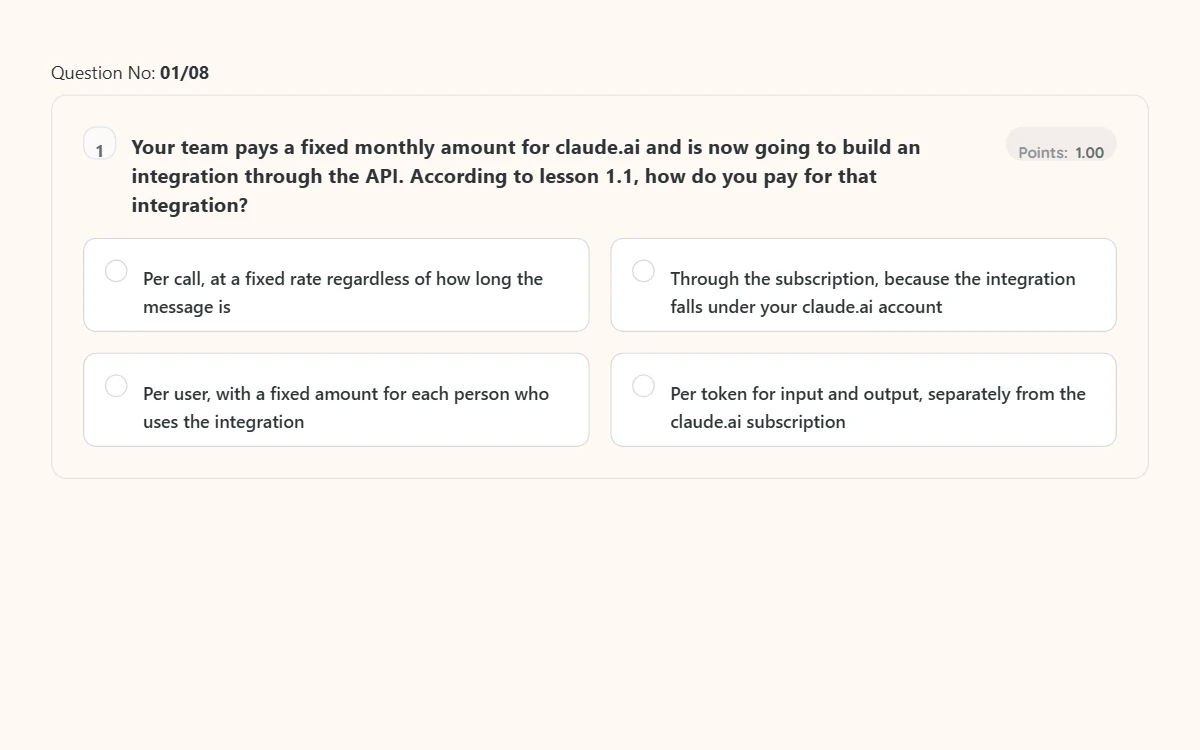
Each module contains lessons, a practical assignment based on your own work, three transfer questions, three scenario questions and a knowledge check with instant feedback. A transfer question presents a situation that was not literally in the lesson, a scenario question makes you choose between two options that both seem defensible, and the knowledge check tests whether the explanation has stuck. To earn the certificate, you score at least 80 percent on each knowledge check; you can retake it as often as you like.
At its core, a call to Claude is short. This is the email classification from the example at the top, in Python: exactly what you write yourself in module 5, while in module 4 you build the same result without code in Make.
import anthropic

client = anthropic.Anthropic()  # reads the API key

response = client.messages.create(
    model="claude-sonnet-5-5",
    max_tokens=200,
    system="Categorise: billing, support or sales.",
    messages=[
        {"role": "user", "content": "Invoice is incorrect."}
    ],
)

print(response.content[0].text)  # billing
Three examples of practical assignments
Each module of the AI Automation Course ends with a practical assignment of 30 to 60 minutes based on your own work, with steps, a worked example and a self-check. Three of them show how this works in practice:
- Module 3: for your own use case, write a system prompt in three versions and test it on ten input rows from your own work, three of them edge cases, with the expected answer for each row.
- Module 4: build an automation in Make without code that sends input from your own trigger to Claude and puts the result in a Google Sheet. You run it on five rows from your test set, show that it catches an error, and calculate the cost per run.
- Module 5: write a Python test script that runs your test set with your system prompt through Claude and records the result, the stop_reason and the token usage for each row.
The final assignment based on your own work
You finish the AI Automation Course with one work portfolio for your own automation. In it you bring together what you built in the practical assignments, updated to the version that runs now: your use case card, system prompt and test set, your automation, your test report, the evaluation and your API usage document, with a one-page (A4) workflow description and a self-evaluation. With this portfolio, a colleague can understand, run and take over your workflow.
That workflow runs in your own environment and on your own API key. You do not submit code, keys or company data for assessment; you check the result with the self-evaluation from the course.
What the online learning environment looks like
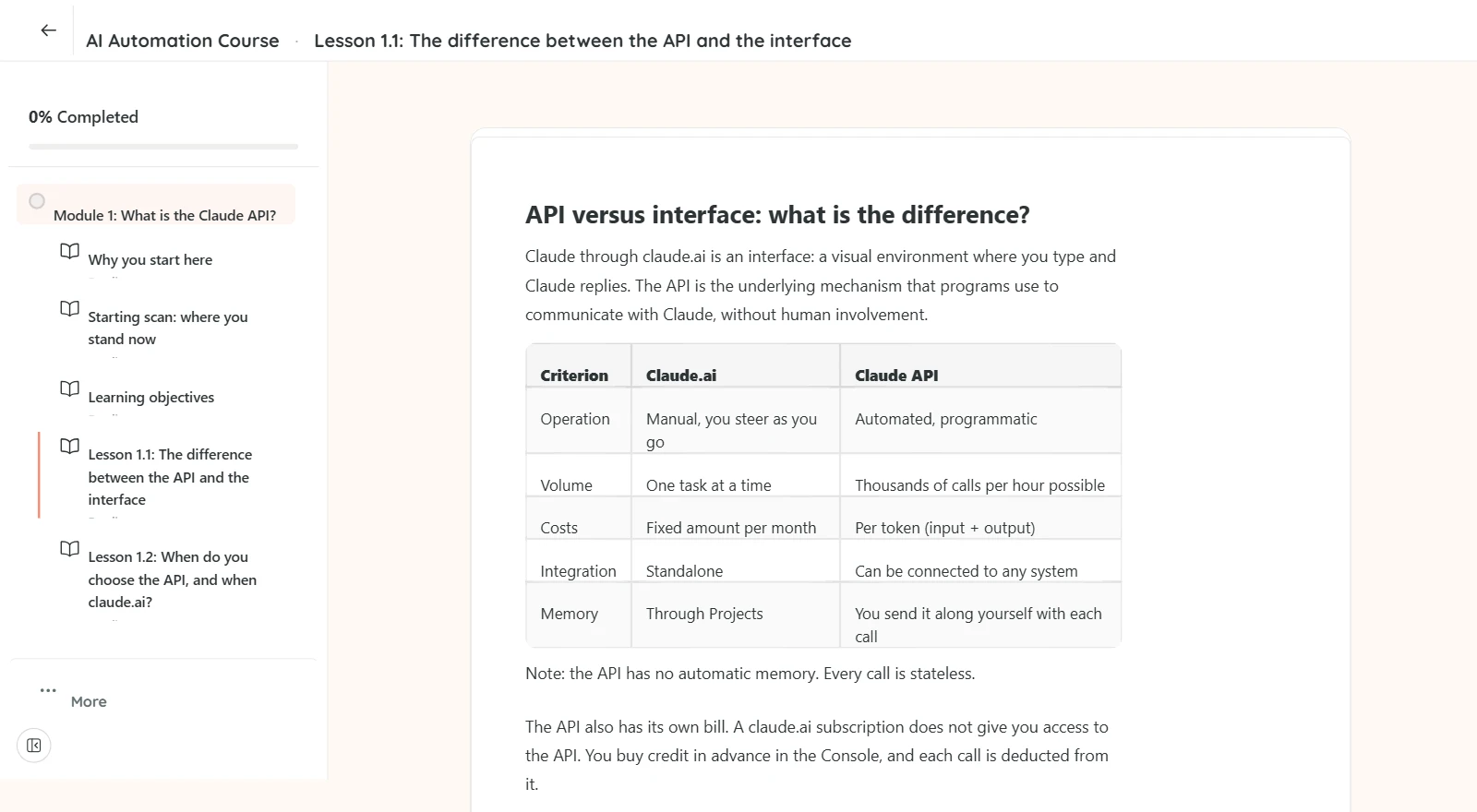
You take the AI Automation Course online, in the learning environment shown below. On the left are the lessons of the module and your progress, on the right you read the lesson. After each module there is a short test with one question per screen, and when you complete the course you receive a certificate in your name.
Tap an image to view it at full size.
€149.99 incl. VAT, instant access after payment.
Why take an AI automation course instead of working it out yourself?
Taking an AI automation course mainly saves you the costly detours that you otherwise only discover once your automation is live. The official documentation shows how a call works, but not what goes wrong once a script is actually running. People who move from individual prompts to an automation often underestimate three things: the cost of testing, the inconsistency of output with identical prompts, and the difference between a prompt in the interface and the same prompt through the API.
In my own Python scripts that call the Claude API, I ran into exactly these three points. A prompt that works fine in claude.ai sometimes gave a different result through the API, because the system prompt, temperature and the missing interface context play out differently. When building a new workflow, I often only found out afterwards what the testing had actually cost, because you iterate much more while building than in production. These are not footnotes in the manual, but the points that decide whether your automation keeps running or grinds to a halt.
This course is built around what happens after the first call. You make your automation resilient, with error handling, a deliberate model choice and a review step before the output goes further. That review step is the difference between an automation you can trust and one you have to check by hand every morning.
Who created this course?

The AI Automation Course was created by Dennis van de Velde, SEO specialist at Space'M Online and a daily user of the Claude API in production. For me, the API is the layer beneath several Python tools on my own VPS infrastructure, from a content pipeline to analysis scripts on Search Console data.
The retry logic for 429, 500 and 529 errors and timeouts covered in module 5 runs in the same way in my own scripts. That is not theory from the documentation, but the handling that turned out to be needed to keep a script from getting stuck on a disruption at Anthropic.
Before that, I worked at Rabobank, ABN Amro and Van Lanschot, where the four-eyes principle is a strict requirement. That review standard is built into every module, because an API that sends unchecked output into the organisation is a risk, not a solution.
AI Automation Course for teams
The AI Automation Course for your team runs through the office licence. Each employee then works in their own account on their own work email address, so you can see per person who has completed which course.
For teams from five employees
Every employee gets their own account and a certificate in their own name, with a price per seat per year and payment on invoice. We set up your team for you: tell us how many employees and which course, and you receive a quote within two working days.
Two to four colleagues? Then have everyone buy the course individually in their own name and with their own work email address, for €149.99 per person incl. VAT. That way each colleague gets their own account and their own certificate. Each colleague checks out in their own name; one order enrols one account.
If you would also like your own house style, a SCORM export for your own learning environment or scenarios based on your own processes, that falls under AI training for teams.
Start small: choose one recurring task from your own practice and work it out in the course, with a review step before the output goes further.
How to start the AI Automation Course
Starting the AI Automation Course takes a few minutes. After that, in 8 to 9.5 hours including practical assignments, you build an automation that you use in your own work.
- Pay for the course with iDEAL or credit card; you receive an invoice in your company name straight after purchase.
- Start right away in the learning environment: in module 4 you build without code, and in module 5 you choose whether you also do the Python assignment.
- Finish with your final assignment and receive your certificate; you have 12 months of access.
14-day satisfaction guarantee for private individuals, as long as you have not completed more than 20 percent of the course. If you check out in a company name or with a VAT number, you are buying as a business and the guarantee does not apply. The conditions are set out in the refund policy.
Which other AI course fits your work better?
Another AI course fits better if you mainly work in a chat interface every day, or if your organisation first wants to agree on what may go into an AI tool. All courses start from the same basis, checking against the source before output goes out; how that is worked out differs per course.
| Course | Choose this if | Time |
|---|---|---|
| Claude Course | You work in claude.ai with long documents and want to master Projects, Artifacts and system prompts | 9 to 11 hours |
| ChatGPT Course | You write and communicate a lot and want one repeatable way of working for it | 8 to 9 hours |
| AI Literacy | You first want to set down which data may go into an AI tool and who reviews the output | 8 hours |
If you combine this course with the Claude Course, the two connect: a prompt that works well in the interface is one you can run automatically here.
Questions about the AI Automation Course
What does the AI Automation Course cost?
The AI Automation Course costs €149.99 per person incl. VAT. Business customers reclaim the VAT through their VAT return. For teams of five or more employees, the course runs through the office licence: €169.99, €149.99 or €129.99 per employee per year incl. VAT, depending on team size, for all four courses.
How do I enrol several colleagues at once?
From five employees, you enrol several colleagues in the AI Automation Course at once through the office licence: you tell us how many employees via the contact page, receive a quote within two working days and pay by invoice. We set up an account for every employee, so certificates and completion dates stay traceable per person. With two to four colleagues, each person buys the course individually in their own name. Do not put several copies of the same course in one basket: one order enrols one account.
Can I get an invoice in my company name?
You receive an invoice in your company name for the AI Automation Course straight after purchase, with a VAT breakdown, so your accounts department can process it right away. Individual seats are paid with iDEAL or credit card. For five or more employees, you request a quote for the office licence and pay on invoice in your organisation's name.
Do I need programming knowledge?
You do not need any programming knowledge for the AI Automation Course. Up to and including module 4, you build entirely without code, in Make, with Zapier as an alternative. Module 5 introduces Python for those who want to go further with their own scripts, but the steps are designed for people without API experience. The Python Assignment 5.1 is optional, but the lessons and the knowledge check of module 5 count towards the certificate. So you decide for yourself how far you go into the technical side.
Will I also learn to build an AI agent in this course?
Module 6 of the AI Automation Course covers the basis of an AI agent: the tool loop. You define a tool and see how Claude determines which function is needed. In the Python route your code runs that function; in the no-code route you test the loop in the Playground. You also learn to weigh up when to build an agent yourself and when a ready-made agent solution fits better.
Which of the two routes suits me?
Which route in the AI Automation Course suits you depends on what you want the automation to do. The no-code route is enough when you link existing tools together and the logic can stay in Zapier or Make. Python, as in Assignment 5.1, is needed as soon as you want multi-step calls, your own error handling or prompt caching, or when the cost per call starts to matter. You can start with the no-code route and do Assignment 5.1 later; your access runs for twelve months. You follow the lessons and the knowledge check of module 5 in both routes, because they count towards the certificate.
Is the course video or text?
The AI Automation Course consists of text lessons, with practical tips, practical assignments based on your own work, knowledge checks and transfer questions per module. You read at your own pace and can look back at code examples and steps later for reference, which is harder with video. That way you can also use the course as a reference when you build a call yourself later.
Does API usage involve extra costs on top of the course price?
On top of the course price, API usage involves costs per call, separate from LearnLLM. You pay Anthropic directly based on usage: you buy credit in advance in the Console, and each call is deducted from it. Credit expires one year after purchase and is not refunded, so start low. For the short test calls you practise with in the course, that usage stays limited. Usage becomes a real cost to budget for once you later process large volumes of text. Module 2 covers how to estimate those costs in advance and set a budget limit, and module 5 how to reduce them with prompt caching. For the assignment in module 4, the free Make plan is enough, as long as you leave the schedule switched off or stay within the free credit.
Which account do I need?
For the AI Automation Course you need an Anthropic account with your own API key, created in the Claude Console. That is a different account from a Claude subscription for the interface, and it is billed separately. In module 2 you create an API key step by step and learn to manage it securely, so you do not need to have this in place beforehand. For the assignment in module 4 you also create a free account on make.com, and you put the results in a Google Sheet.
How much time does the course take?
The AI Automation Course takes 8 to 9.5 hours, including practical assignments based on your own work, spread over seven modules plus a final assignment. If you skip the Python Assignment 5.1 and stick to the no-code route, you will be at the lower end of that range; the lessons and the knowledge check of module 5 do count towards the certificate. You follow the course at your own pace, so you decide whether to finish it in a few sessions or spread it over several weeks. After purchase you have 12 months of access to all the material.
Does the course stay up to date?
I update the AI Automation Course when Anthropic releases new models or API features, which happens a few times a year. The latest update round ran in October 2026. Among other things, it added the new name of Anthropic's test environment: the Playground, which replaced the Workbench. Throughout your 12 months of access, you work with the current version.
Do I receive a certificate on completion?
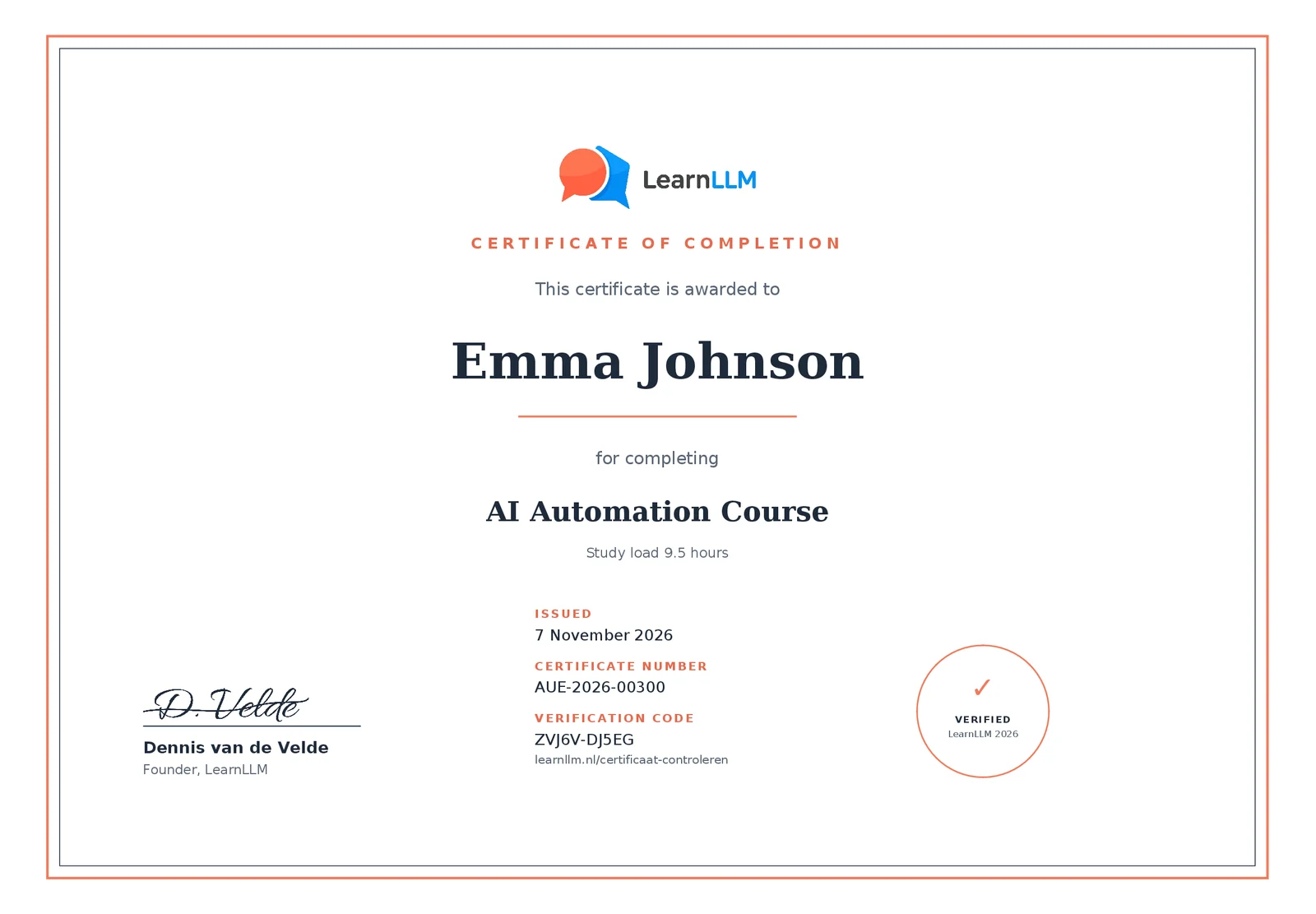
Yes. After the AI Automation Course you receive a certificate of completion in your name, with the date, a certificate number and a verification code that an employer or professional body can use to check it online. To earn it, you complete all lessons and the final assignment and score at least 80 percent on each knowledge check. You also receive a learning record with the learning objectives per module and the study load, which you can include as evidence in your continuing education or CPD file. You can share it with your employer or add it to your portfolio. Within an organisation, you record the completion as a learning activity in your L&D or HR system.
Can I return the course if I am not satisfied?
As a private individual, you get your money back for the AI Automation Course within 14 days of purchase, as long as you have not completed more than 20 percent of the course. This is LearnLLM's own satisfaction guarantee. The statutory right of withdrawal lapses as soon as you get access, because at checkout you agree to immediate delivery and waive that right. If you check out in a company name or with a VAT number, you are buying as a business and the guarantee does not apply. Send your request to info@learnllm.nl; the full conditions are set out in the refund policy.
Will my employer pay for the course?
Some employers reimburse the AI Automation Course from the training budget. You receive an invoice straight after purchase that you can submit as an expense claim. Because the course counts as further training, it usually falls within a training or development budget. If in doubt, check with HR or your manager beforehand.
