Google Veo is Google DeepMind’s video model: you give it a text prompt or an image, and it generates a short video with sound. Sound arrived with Veo 3. The current version is Veo 3.1, which runs in Google Flow and on Google’s cloud platform for developers. In the Gemini app, Gemini Omni now handles video generation.
Veo 3.1 makes clips of up to 8 seconds, and Google Flow charges credits per generation. Credits come with the Google AI subscriptions, and everyone also gets a small daily allowance. Veo is available in Europe, including the Netherlands, with two restrictions that apply across the European Economic Area.
Every Veo video carries an invisible SynthID watermark. You can use Veo for business, subject to the EU AI Act’s transparency rules for realistic images.
What is Google Veo?
Google Veo is a generative video model from Google DeepMind that turns text and images into short video clips, producing picture and sound together. You describe a scene, and Veo generates the images, the camera movement, the dialogue and the sound effects in a single clip. That makes Veo a form of generative AI, the type of AI that creates new content based on patterns in its training data.
Veo is a separate model from Gemini. Gemini is Google’s family of models for text, code and analysis, whereas Veo only produces moving images with audio. Google offers both in the same subscriptions, which is why they are often mentioned together.
What versions of Google Veo are there?
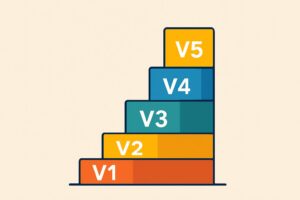
Google has released four versions of Veo, and Veo 3.1 is the newest. Google DeepMind describes Veo 3.1 as its leading video model. The versions at a glance:
- Veo was announced in May 2024 at Google I/O, Google’s developer conference.
- Veo 2 followed in December 2024 with higher image quality, but still without its own sound.
- Veo 3 arrived in May 2025 as the first version to generate its own audio, and it reached the Gemini app in the Netherlands on 3 July 2025.
- Veo 3.1 was released on 15 October 2025, followed by the lighter Veo 3.1 Lite on 31 March 2026.
Veo 2 and Veo 3 have been phased out. The Gemini API deprecation list and Google Cloud’s model overview both give 30 June 2026 as the end date for these models. At Google I/O 2026, Google also launched Gemini Omni, a video model that belongs to the Google Gemini family rather than to Veo.
What can Veo 3.1 do?
Veo 3.1 makes videos of 4, 6 or 8 seconds, with sound generated to match the picture. According to the Gemini API documentation, audio is always on for every Veo 3.1 variant. The main features:
- Text to video, where a written description defines the whole scene.
- Frames to video, using a given first frame, or a first and last frame.
- Reference images, which Google calls ingredients, to keep a person, product or style consistent.
- Audio with dialogue, sound effects and ambient sound, generated in the same step as the picture.
- Aspect ratios of 16:9 for landscape video and 9:16 for vertical video.
- 720p resolution by default, with 1080p and 4K only for 8-second clips.
Each Veo generation is at most 8 seconds long. To make a longer video in Google Flow, you extend an 8-second clip, and extending only works with Veo 3.1 Lite. Veo 3.1 Lite does not output 4K, and features differ by variant and by environment.
What is the difference between Veo and Gemini Omni?
Gemini Omni is Google’s newer, multimodal video model, and it replaces Veo in the Gemini app. In the Gemini API, gemini-omni-1.1-flash succeeds the Veo 3.1 previews, with 22 October 2026 as the earliest possible end date for those previews.
Veo 3.1 remains available in Google Flow and on Gemini Enterprise Agent Platform. Omni makes clips of up to 10 seconds and can also edit existing video.
Where can you use Google Veo?
You can use Veo in two Google environments: Google Flow for creators, and Gemini Enterprise Agent Platform for developers and businesses. Since the arrival of Gemini Omni, video requests in the Gemini app no longer use Veo.
Google Flow
Google Flow is the AI filmmaking studio from Google Labs, where you can choose Veo 3.1 Lite, Fast or Quality alongside Gemini Omni Flash. Flow works with credits: each generated video costs a fixed number of credits, depending on the model.
You do not need a subscription to use Flow, because everyone gets 50 credits a day. Without a subscription, Google says video generation is not always available at peak times, roughly between 14:00 and 17:00 UTC. Organisations with a qualifying Google Workspace licence get Flow at no extra cost, with 50 credits a day.
Gemini Enterprise Agent Platform
Gemini Enterprise Agent Platform, called Vertex AI until April 2026, is the Google Cloud platform where developers build Veo 3.1 into their own software. According to Google Cloud’s model overview, veo-3.1-generate-001 and veo-3.1-fast-generate-001 have no announced end date.
On this platform you pay per second of generated video instead of using credits. Gemini Enterprise Agent Platform is meant for teams that generate video automatically from their own application, not for one-off clips.
How to make a video with Google Veo in Flow
To make a video with Veo in Google Flow, you open a project, describe the scene in the prompt box and choose a Veo model. Flow requires a Google account belonging to someone aged 18 or over, and that age must be verified. The steps:
- Go to Google Flow in your browser and sign in with your Google account.
- Open an existing project or start a new one.
- In the prompt box, describe the subject, action, setting, lighting and style.
- Click the model name and choose Video.
- Optionally, add reference images or a start and end frame as the basis for the video.
- Choose Veo 3.1 Lite, Fast or Quality, the aspect ratio, the number of variants and the length, then click Generate.
Flow charges credits per generation, so every variant you create counts towards your usage. Veo 3.1 Lite keeps usage low while you test a prompt, at 10 credits per generation compared with 100 for Quality.
How to write a good Veo prompt
A good Veo prompt describes the subject, action and style, and adds camera, composition, lighting and sound where needed. The principles of prompting for text models apply here too, with picture and audio added. These are the elements listed in Google’s Veo documentation:
- Subject: the object, person, animal or landscape that appears on screen.
- Action: what the subject does during the clip.
- Style: such as a film genre, documentary or type of animation.
- Camera: position and movement, for example a slow zoom or an overhead shot.
- Composition and mood: framing, depth of field, colour and lighting.
- Sound: spoken lines in quotation marks and an explicit description of sounds and surroundings.
An example for a product video: “Close-up of a white coffee mug on a wooden desk, morning light through a window, the camera slowly circles the mug, soft office chatter in the background.” Without a sound description, Veo generates its own audio, which will not be tailored to your message.
How much does Google Veo cost, and is it free?
Veo has no fixed monthly price: you pay with credits in Google Flow and per second of video on Gemini Enterprise Agent Platform. According to the Google Flow help centre, one generation on any subscription other than Ultra costs 10 credits with Veo 3.1 Lite, 20 with Fast and 100 with Quality. With Google AI Ultra, Lite and Fast cost 5 and 10 credits respectively.
Credits come with the Google AI subscriptions: Plus gives 200 credits a month, Pro 1,000 and Ultra 10,000 or 25,000. Google AI Pro costs €21.99 a month. When you weigh up what Gemini costs per subscription, models, storage and usage limits matter as well as credits.
The only free way to use Veo is through Flow’s 50 daily credits, enough for five generations with Veo 3.1 Lite. Without a subscription, video generation is not always possible at peak times, and Google states that limits and credit costs can change at any time.
Is Google Veo available in the EU and the UK?
Yes, Veo is available in Europe: the Netherlands, for example, is on Google’s list of countries where Flow works. Flow does have two restrictions in the European Economic Area, Switzerland and the United Kingdom.
Editing uploaded videos in Flow is not available in the European Economic Area, and neither is the Avatars feature. Generating video from text, frames or reference images does work there, including in the Netherlands.
How can you tell if a video was made with Veo?
You can identify a video made with Veo by SynthID, an invisible digital watermark that Google adds to every Veo video. SynthID is embedded in the picture itself and cannot be seen with the naked eye.
In the Gemini app, you can upload a video of up to 90 seconds and 100 MB and ask whether it was made with Google AI. Gemini then checks the video for SynthID. Google Flow also automatically adds a visible watermark to videos from users in India, South Korea and Vietnam. Users elsewhere can turn that visible watermark on or off themselves.
Can you use Google Veo videos commercially?
Yes, you can use Veo videos for business, because Google’s Terms of Service dated 30 July 2026 state that Google does not claim ownership of content you generate with its services. That use is still subject to Google’s prohibited use policy.
Article 50 of the EU AI Act has applied since 2 August 2026. It is a transparency obligation, not a notification obligation. The duty to mark AI content in a machine-readable way formally lies with the provider, in this case Google, which marks Veo videos with SynthID. If you publish a deepfake (a realistic image of an existing person, place or event) in a professional capacity, you must also disclose that the image was artificially generated.
These transparency rules are one part of AI Act compliance for businesses that use generative AI in their communications. Recognisable people, brands and existing footage in a prompt or reference image need a separate assessment before publication. This is because the legal position on copyright in AI video is not yet settled.
How do you use AI video responsibly in your organisation?
You use AI video responsibly by agreeing in advance what may and may not be generated, having every clip checked before publication and labelling realistic images. With Veo 3.1, SynthID helps with detection, but the watermark does not replace your own checks on videos from Google Flow.
Those checks require the people who work with generative AI to know where its output can and cannot be trusted. LearnLLM’s AI Literacy Course teaches you to assess AI output and shows which obligations the EU AI Act places on organisations that use AI.
For marketing agencies
For marketing agencies, Veo is useful for concepting, B-roll and vertical versions for social media. Do not upload images of recognisable people without a legal basis and a data processing agreement, and do not upload client material without agreeing this with the client.
Label realistic images in campaigns in line with Article 50 of the EU AI Act. Set out in your working agreement with the client who checks that labelling.
For small business owners
For small business owners, Veo lets you make product videos and short explainer clips without outsourcing video production. You can keep costs under control by testing prompts with Veo 3.1 Lite first. Then have someone check each clip for factual accuracy and for consistency with your brand’s look and feel.