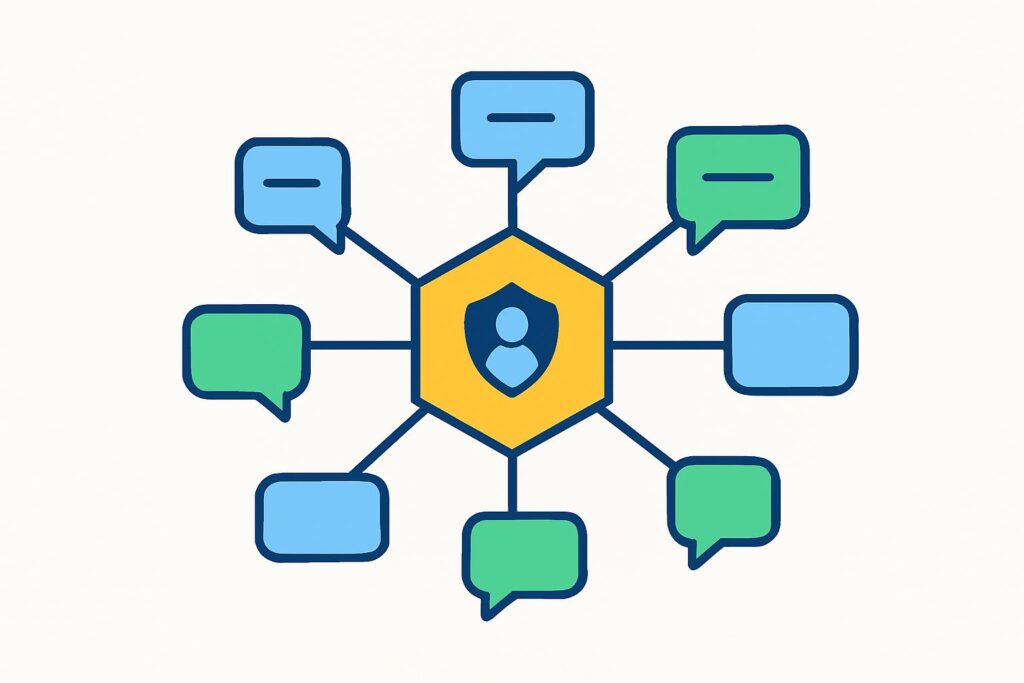
Claude Tag is the new way to use Claude as a shared teammate in Slack. Instead of a separate chat for each person, a Slack channel gets one @Claude that everyone can tag, direct and take over. Anthropic launched Claude Tag in beta on 23 June 2026 for Claude Enterprise and Team customers.
It runs on the same underlying model as the standalone chat, so Claude itself does not change as an AI assistant; only the way a team uses it does.
What is Claude Tag?
Claude Tag is not a chatbot you open in a separate window but an agent that takes part as a permanent member of a Slack channel. Everyone in that channel works with the same Claude, not with a session of their own.
To find out which model Claude Tag is using, you ask in plain language in the thread, and the footer under each answer names the model that replied. Anthropic decides which Opus and Sonnet models are on that list and your organisation’s settings narrow it further, so which of the Claude models you can choose differs per workspace. An administrator also sets a default model per channel or workspace. The product replaces the existing Claude in Slack app, which worked per user.
Anthropic describes Claude Tag as an evolution of Claude Code, the agentic tool that handles coding tasks from the command line. The idea is the same, but visible to a whole team instead of to one person in a terminal.
How does Claude Tag work in Slack?
Claude Tag works in Slack through a single action: you tag @Claude with a request in plain language. Examples include retrieving figures, analysing a dataset or drafting a document.
Claude breaks a request like this into phases and works through them one by one with the tools and data sources it has access to. Progress is visible in the thread, so everyone in the channel can follow what is happening.
Larger tasks run asynchronously. Claude can keep working on something for hours or even days and post updates in the thread along the way, while the rest of the team gets on with other work.
What makes Claude Tag different from an ordinary Slack bot
What makes Claude Tag different from an ordinary Slack bot comes down to four properties that rarely come together in one tool. It is shared, it retains context, it works asynchronously and it can flag things on its own initiative.
The first is its shared nature. The standalone chat, into which Claude Cowork has been merging in phases since September 2026, is single-player: your session, your context, your screen. In a Claude Tag channel there is one Claude that everyone sees and can take over, exactly where the previous person stopped.
The second is memory. The memory Claude builds up in a channel resembles the Claude memory feature in the chat, but shared, so the team does not have to explain the context again every time.
The third is asynchronous working. You hand over a task and come back when it is done, without having to sit there while it runs.
The fourth is ambient behaviour, in other words taking part proactively. When it is switched on, Claude keeps an eye on the channels, raises things that may be relevant of its own accord and follows up on open tasks that have been left unfinished.
The Claude Tag identity model
The Claude Tag identity model is the reason a shared agent can work at all. As soon as several people tag the same Claude, the question arises under whose permissions the model is working.
Anthropic solves this by giving Claude its own identity, which the company calls agent identity. Claude posts in Slack as the Claude app, opens pull requests (proposed code changes) as the Claude GitHub app and queries a data warehouse via a separate service account. No personal login credentials are involved.
As a result, permissions are tied to the channel, not to the person. An administrator sets a baseline at workspace level and can adjust it per channel, so the engineering channel gets access to the codebase and the sales channel to the CRM.
For peace of mind: Claude does not report from private channels. What is in a private channel stays there.
Before a team uses a shared agent like this widely, it helps if the people directing it know how to instruct Claude reliably.
Which teams Claude Tag is available for
Claude Tag is available to teams on a Claude Enterprise or Team plan, for now only in Slack. It is a beta, not a general release, and so it is not available on the Free or Pro version. Anthropic says it aims to make it available in other places where teams work, without giving a date.
Because Claude Tag replaces the old Claude in Slack app, this was a migration decision for many workspaces. At launch, Anthropic gave administrators thirty days to switch, a window that closed at the end of July 2026. Only a workspace owner can set up the integration.
Billing runs at organisation level and is usage-based, with an adjustable monthly budget. Anthropic gives eligible organisations starting credit to try it out.
What to watch out for before you use Claude Tag
What to watch out for before you use Claude Tag is the question no product page answers: who is responsible for what the agent does? A shared, partly autonomous agent with its own permissions does not shift that question to the tool. AI is never responsible for the output; the professional who uses it is.
From my years at Rabobank, ABN Amro and Van Lanschot, I bring the four-eyes principle to AI work: nothing high-stakes goes out without a second check. With Claude Tag, that means in practice that a pull request, a client report or a piece of advice from the channel deserves the same review as work from a human colleague, before it ends up anywhere.
Not every task has the same risk profile, and the intensity of checking should scale with it. An internal summary can go through with less checking than a draft that falls under professional responsibility. You make that distinction in advance, per channel and per type of task, not afterwards.
Compliance thinking from the banking sector translates into three practical questions: which data may go into the model, which claims can you justify and who is liable for the outcome? For accountants and notaries the first question is pressing, because client data in a channel Claude reads touches on professional secrecy and the GDPR.
Ambient mode, in which Claude joins in of its own accord, is something to switch on or off deliberately per channel rather than leave on by default.
In my own way of working, human editing is not an optional step but part of the process, and that principle does not change because the output now comes from a Slack thread.
Claude Tag shows where team-wide AI is heading: one agent that everyone can see and direct. The gain is not in the tool itself but in the way of working around it: the checkpoints that determine when you can trust the output and when you cannot.
In the AI Literacy Course you learn to set out those agreements in an AI policy with fixed checkpoints, so the whole team follows the same way of working. LearnLLM supports knowledge-intensive service providers with this, personally and at SME scale.
Frequently asked questions about Claude Tag
For teams that want to use Claude Tag, the open questions are often about direct messages and about what Claude stores.
Can you use Claude Tag in a Slack direct message?
Yes, Claude Tag also works in a direct message in Slack, as well as in Slack’s AI assistant panel. In a one-to-one message, according to Anthropic, Claude uses the connectors of your own Claude account, and the work is done in your name. The costs then go to your own Claude account instead of to the organisation. An owner can switch off direct messages with Claude for the whole organisation.
Who can view and delete Claude Tag’s memory in a channel?
Everyone in a channel can view Claude Tag’s memory and correct or delete notes. Each channel has its own notes that Claude reads, and by asking what Claude remembers about the channel you can see what is there. A private channel reads the notes of the whole workspace but cannot add anything to them. Administrators can check and delete the memory of channels and the workspace.
What happens to your conversations if you disconnect Claude Tag?
If you disconnect Claude Tag or remove the app, Anthropic deletes the conversations from Claude within 30 days. In Slack itself, the retention periods your organisation has set for Slack apply. According to Anthropic, conversations that start in Slack do not appear in your chat history on claude.ai, so you will not find them there either.